A native home for Claude Code and OpenAI Codex. Split terminals, file explorer, themes, session history, and a chat view—everything you need to code with AI, without living in the terminal. When you're ready, unlock in-app agents that manage your CLI agents for you.
Chromebook users: Enable Linux (Settings → Developers → Linux) first
Most people start at level one. Power users unlock all three.
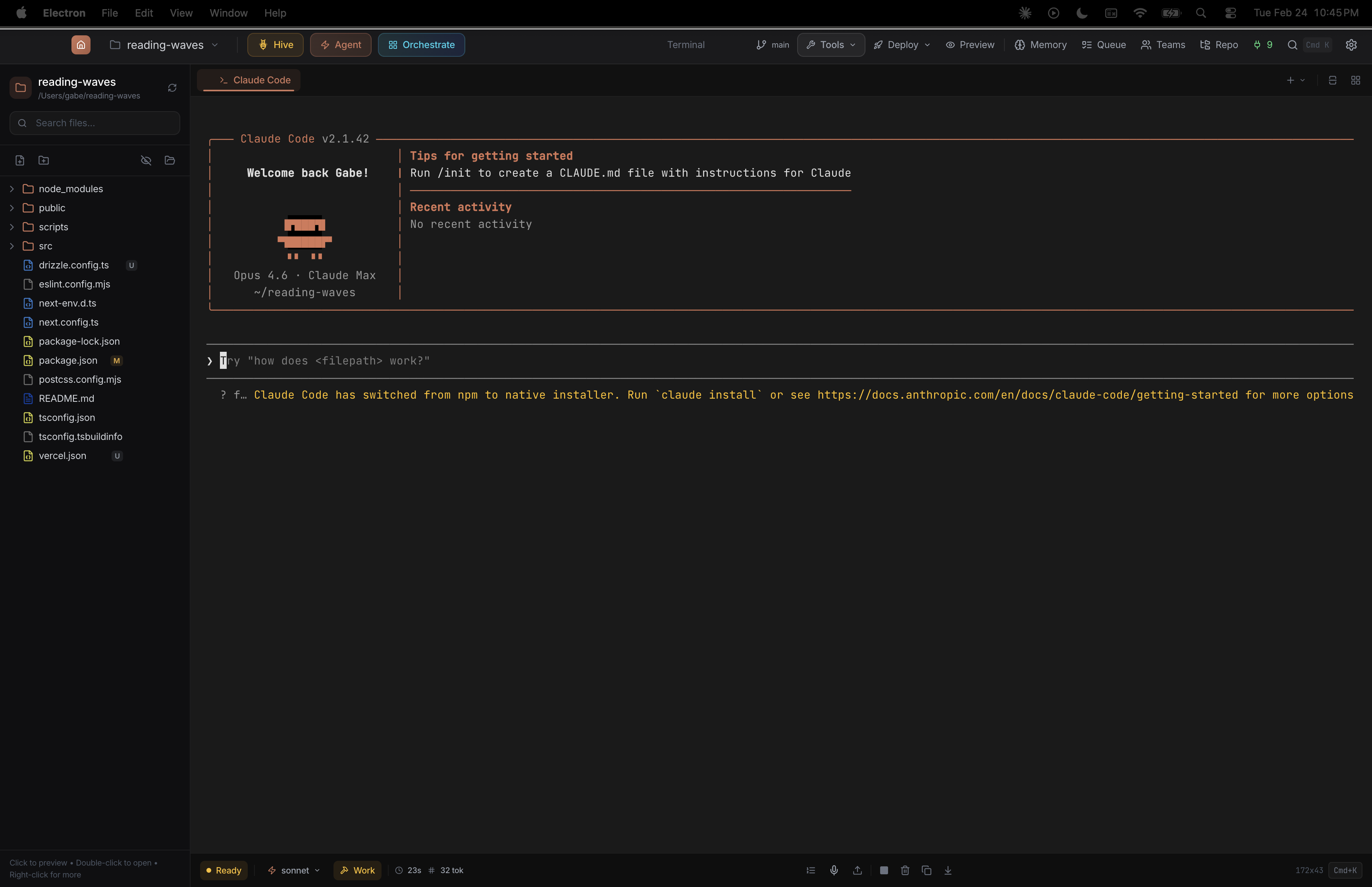
Run Claude Code or Codex in a native app with split panels, themes, file explorer, git integration, and session history. No setup—just open and code.
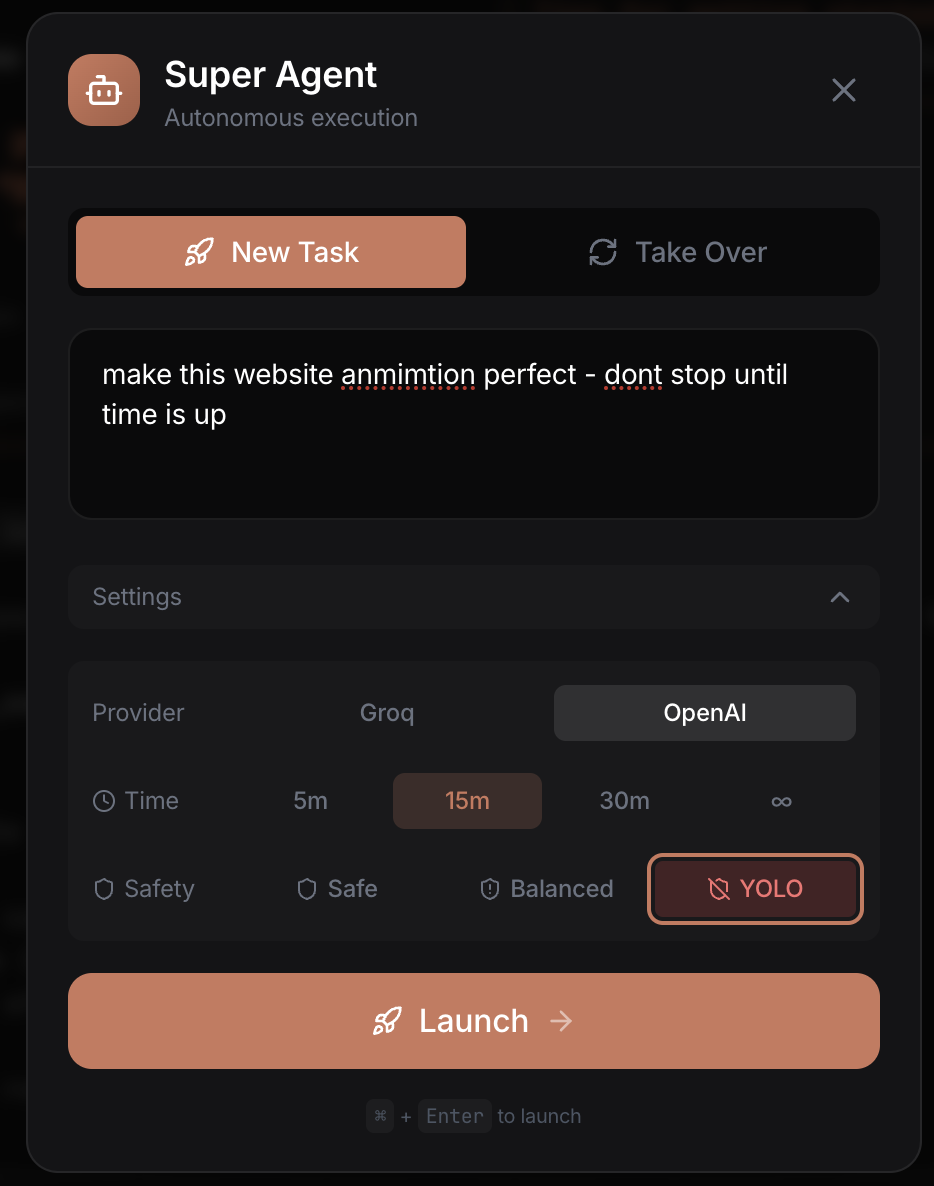
Turn on the Super Agent and walk away. An in-app AI watches the terminal, approves tool calls, answers prompts, and manages context—so you don't babysit.
Give one big task. The Orchestrator breaks it into pieces, spins up multiple terminals, and coordinates them all. AI managing AI managing AI—for when you mean business.
Claude Code and Codex are incredible—but the terminal is a wall for most people. Crest tears it down. Whether you write code daily or have never opened a terminal, this is your way in.
You already live in the terminal. Crest gives you the orchestration layer your CLI agents are missing.
No command line experience needed. Describe what you want to build and let Crest's agents handle the rest.
Crest is not another wrapper. It is the orchestration layer, analytics dashboard, and coordination hub your AI workflow is missing.
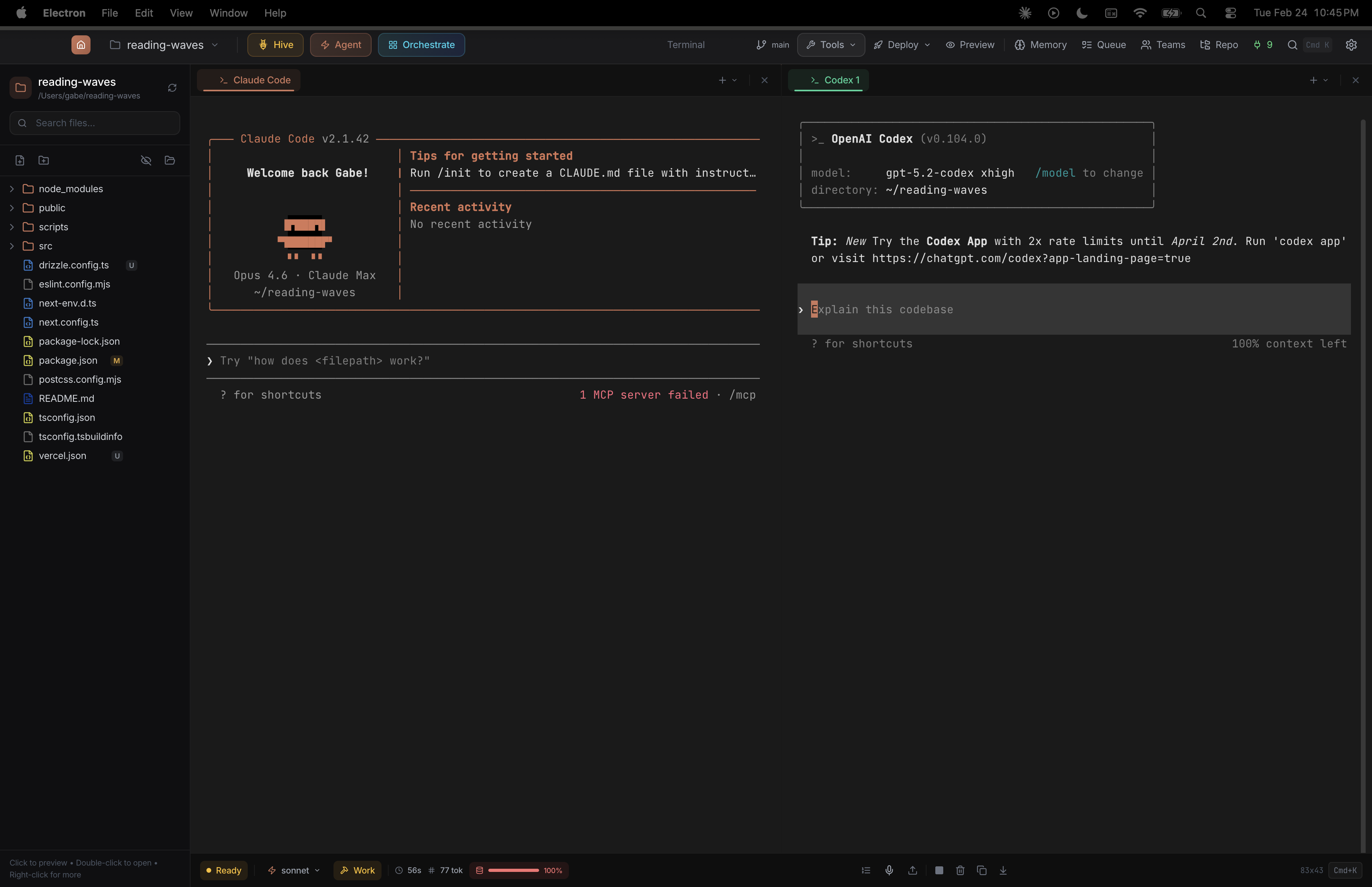
Run Claude Code and Codex side by side in a native desktop app. Each tab picks its own CLI provider. Split panels, 3x2 grid, drag-and-drop tabs, 14 themes.
Toggle between raw terminal and a clean chat UI. Same Claude session, same tools—just a friendlier way to see what's happening. File explorer, git status, and built-in browser preview included.
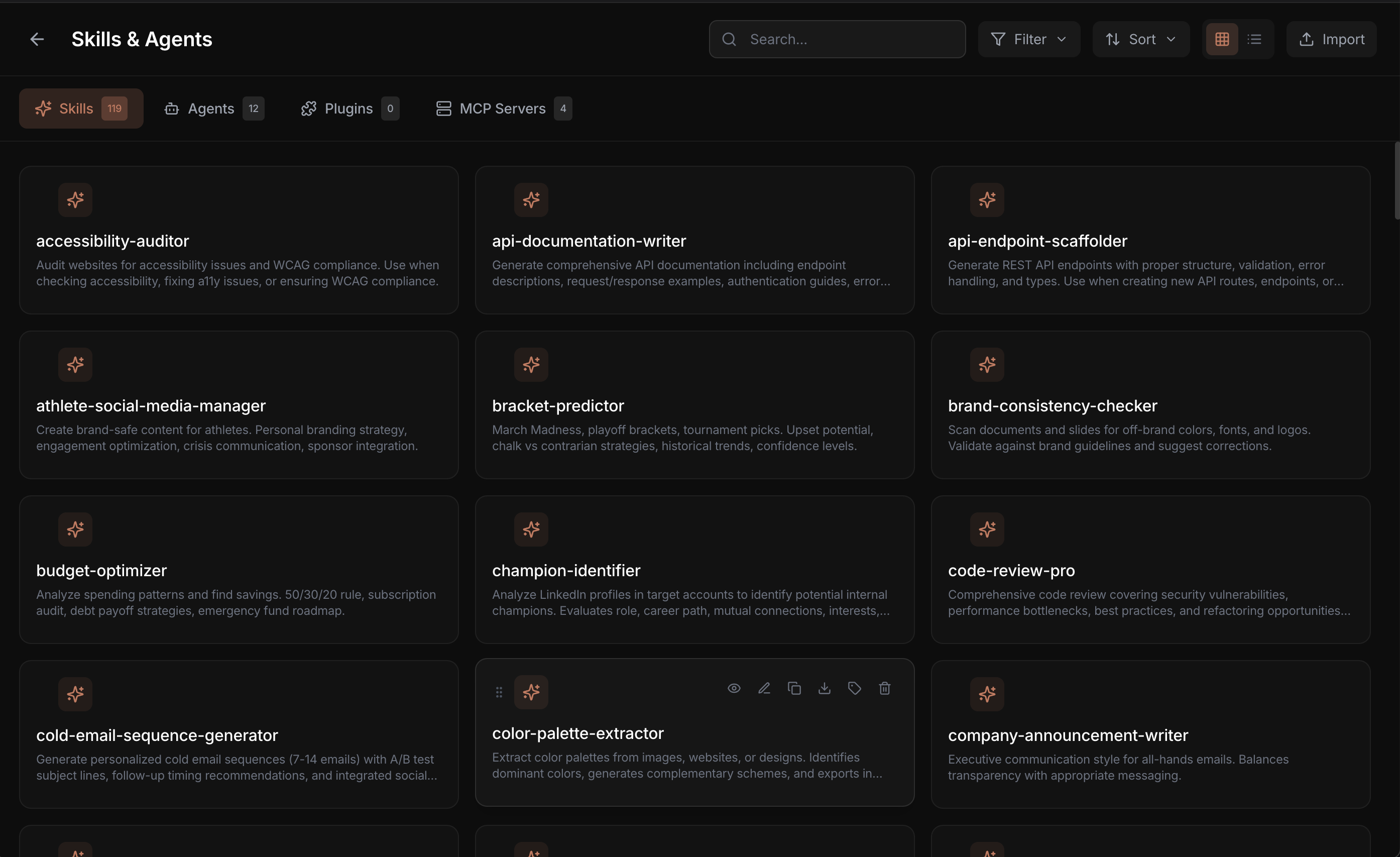
25 built-in skills and 5 agents. One-click MCP server installs. Create, edit, duplicate, and share your own. Manage everything from one UI instead of editing config files.
An in-app AI that watches your CLI agent's terminal, auto-approves tool calls, answers prompts, manages context, and recovers from errors. Set a task and walk away.
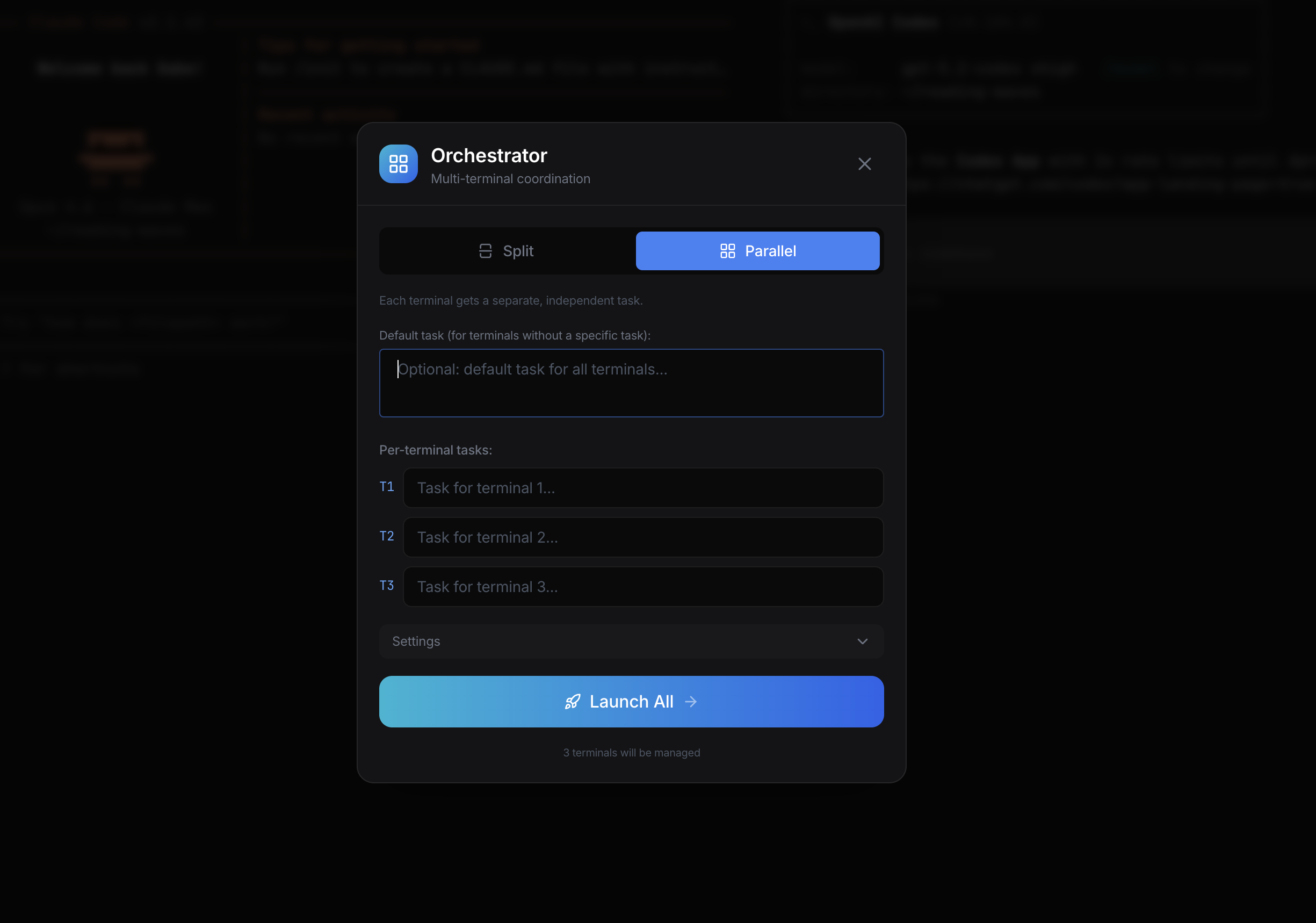
Give one complex task. The orchestrator decomposes it, spins up multiple terminals, and coordinates them in parallel. Each terminal gets its own AI manager.
Launch specialized agent swarms—security audit, refactoring, test generation—all running simultaneously across your codebase from one dashboard.
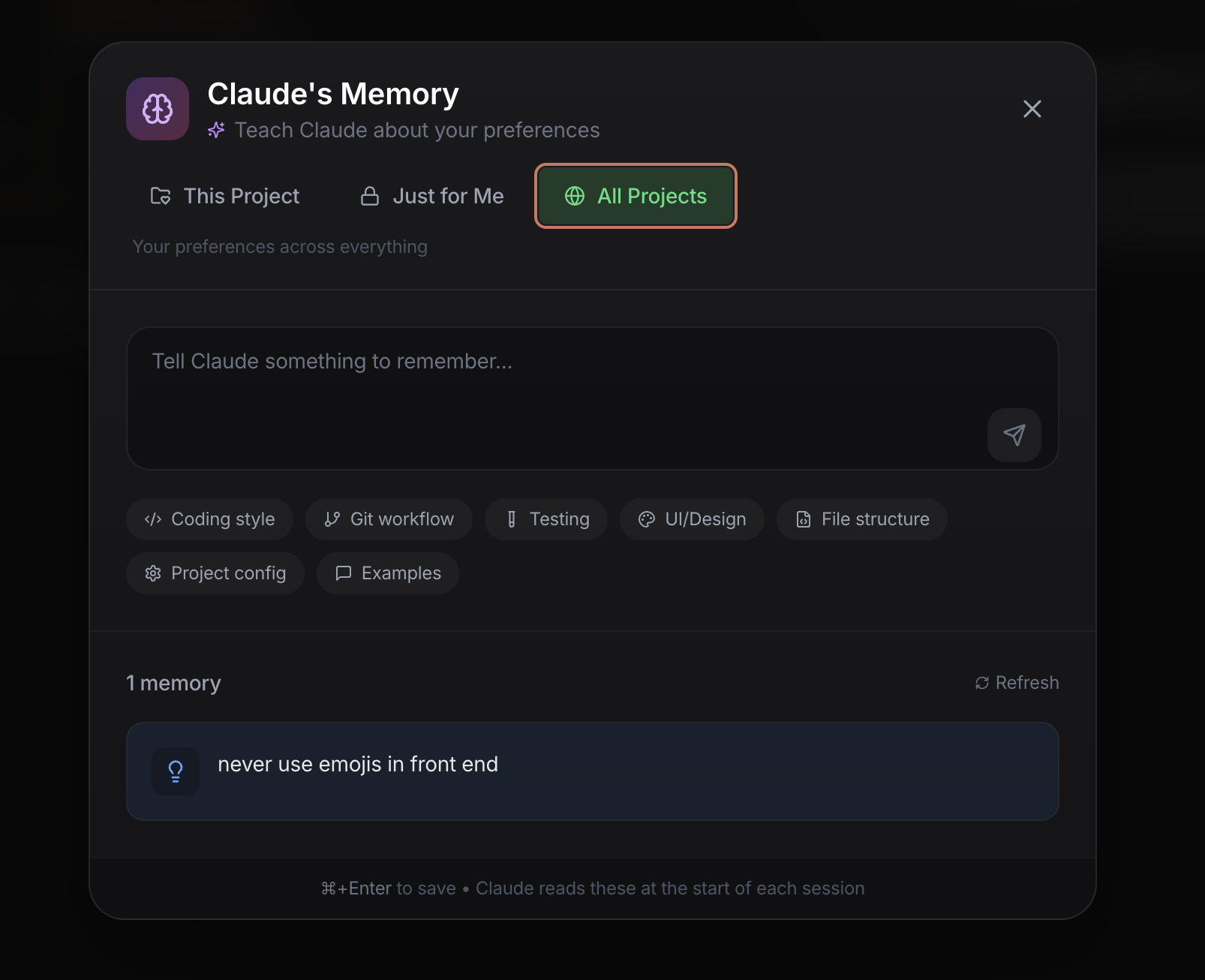
Natural language memory that writes CLAUDE.md files. Tell it your preferences, architecture decisions, and conventions—it remembers across every session.
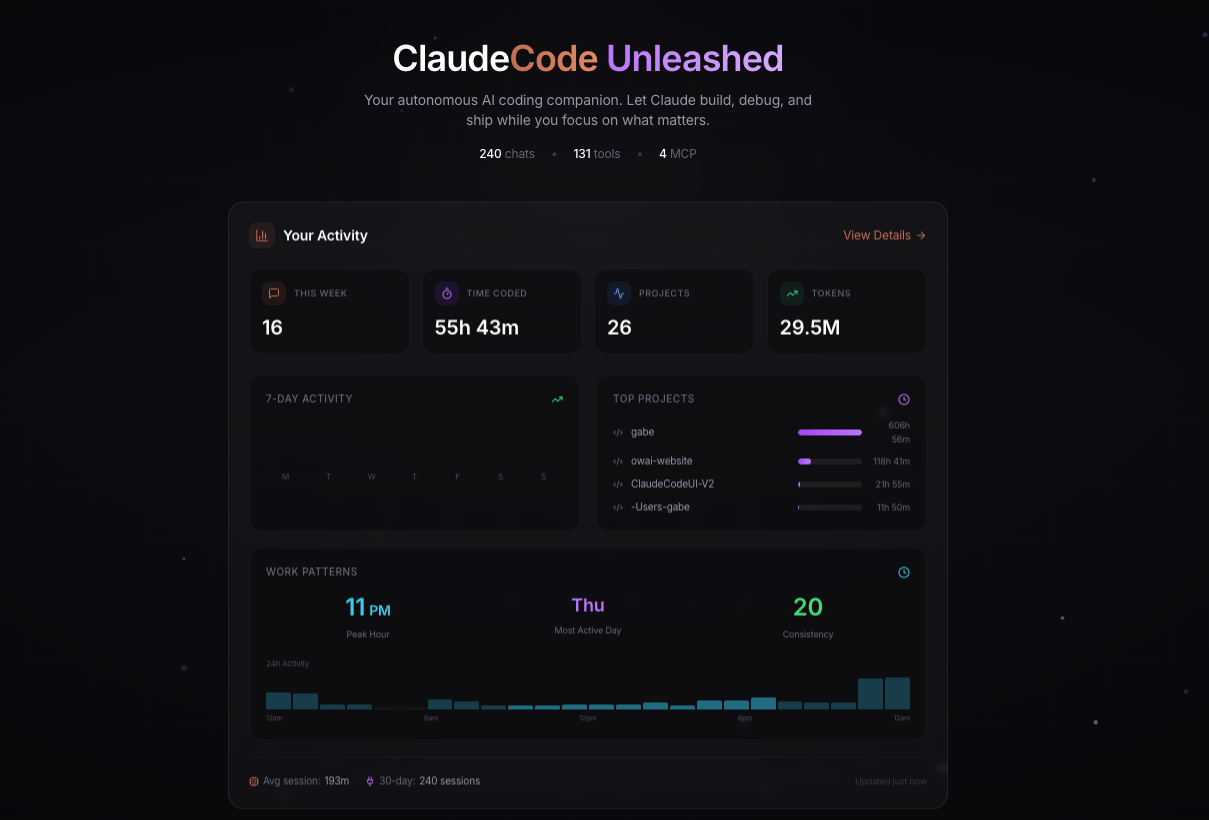
Track sessions, tokens, coding hours, and project activity. 7-day and 30-day views with per-project time tracking and cost estimates.
Browse, search, pin, and resume past conversations. Export sessions. Never lose context from a previous coding session again.
Every conversation saved, searchable, resumable. Pin important sessions. Pick up exactly where you left off, even weeks later.
Explore every corner of the Crest experience
File Explorer
Terminal Tabs
Model Selector
Session Stats
Full terminal with file explorer, model selector, plan/work toggle, and session tracking
Claude Code
OpenAI Codex
Per-Tab Provider
Run Claude Code and OpenAI Codex side by side—each tab picks its own CLI provider
Split / Parallel Modes
Task Assignment
Terminal Count
Split or parallel mode—assign tasks per terminal and launch coordinated multi-agent workflows
Scope Selector
Natural Language Input
Stored Memories
Teach Claude your preferences in plain English—scoped per project, private, or global
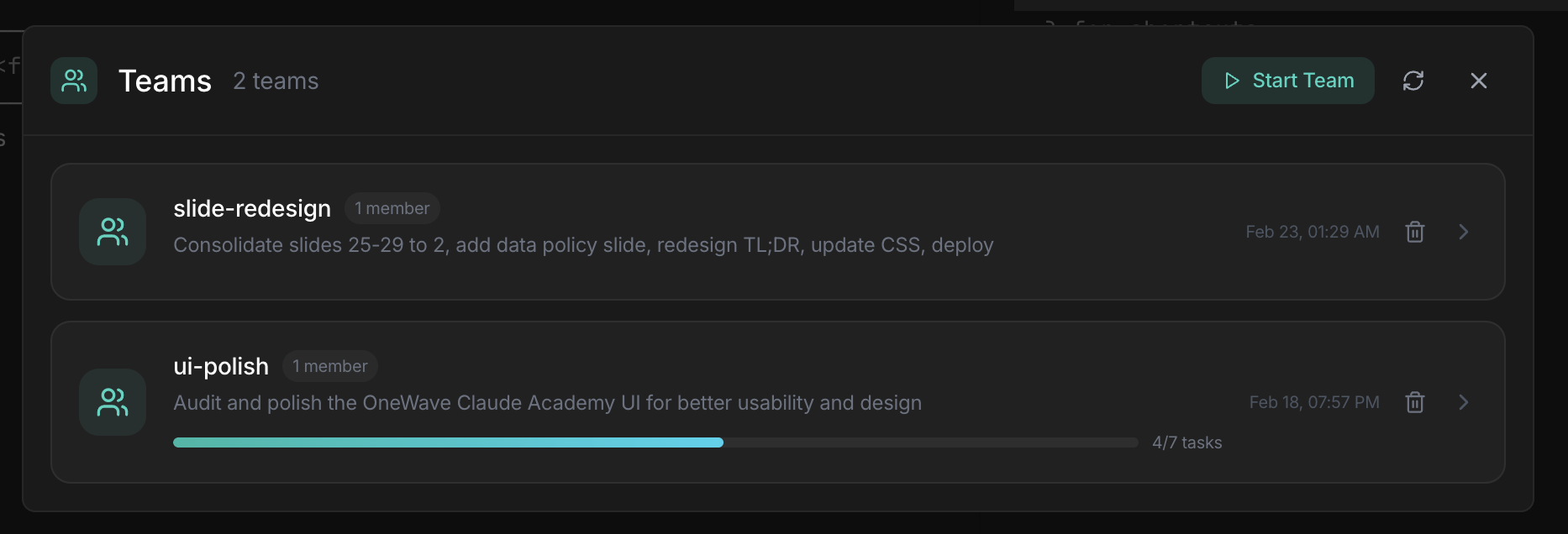
Active Teams
Team Members
Task Progress
Monitor multi-agent teams with real-time task progress and coordination
Usage Stats
Time Period
Activity Chart
Top Projects
Track coding time, tokens, and project activity with real-time analytics
Hive Presets
Agent Cards
Launch Controls
Manage specialized agent swarms for audit, action, design, and more
Task Input
Time Limit
Safety Level
Launch autonomous tasks with time limits, safety levels, and provider choice
Category Filters
Search
Skill Cards
One-Click Install
Browse 25 skills and 5 agents—search, filter, and deploy in one click
If you can describe it, AI can build it. Here's what people are using Crest for.
Go from idea to deployed app. Crest handles the code, tests, git, and deployment—you just describe what you want.
Deploy agent swarms to scan your codebase. Find vulnerabilities, fix them, and verify the fixes—all in one session.
Scrape websites, process spreadsheets, generate reports, build dashboards. If you can describe it, Claude can build it.
Powered By
Download Crest for free and put every AI coding agent you use under one roof. Open source. Zero config. Immediate results.
Works on macOS, Linux, and Chromebook