Crest adds a layer of AI on top of your CLI coding agents. In-app agents orchestrate Claude Code and Codex—decomposing tasks, managing context, and recovering from errors—so multiple terminals work in parallel without you babysitting any of them.
Chromebook users: Enable Linux (Settings → Developers → Linux) first
CLI agents are powerful but need babysitting. Crest stacks AI on top of AI so you don't have to.
Claude Code and OpenAI Codex run in real terminals inside Crest. They read your code, write files, run commands, and use tools. This is the layer that does the work.
Crest's Super Agent watches each terminal, approves tool calls, answers prompts, manages context windows, and recovers from crashes. AI managing AI—so you don't sit and type "y" all day.
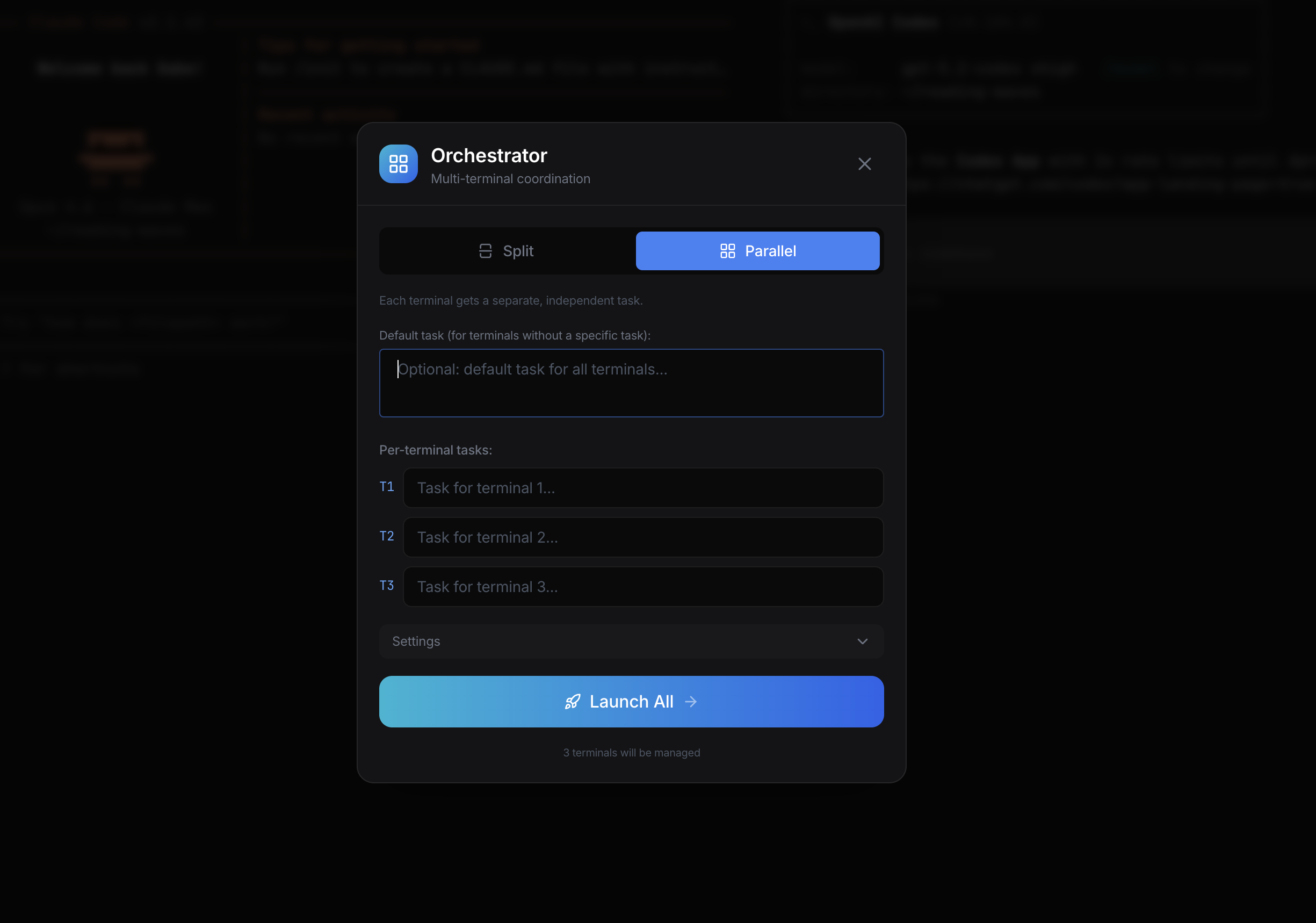
Give one big task. The Orchestrator breaks it into sub-tasks, spins up multiple terminals, assigns each a CLI agent with its own in-app agent, and coordinates them all. AI coordinating AI coordinating AI.
Claude Code and Codex are incredible—but the terminal is a wall for most people. Crest tears it down. Whether you write code daily or have never opened a terminal, this is your way in.
You already live in the terminal. Crest gives you the orchestration layer your CLI agents are missing.
No command line experience needed. Describe what you want to build and let Crest's agents handle the rest.
Crest is not another wrapper. It is the orchestration layer, analytics dashboard, and coordination hub your AI workflow is missing.
Layer 2 AI: an in-app agent watches your CLI agent's terminal output, auto-approves tool calls, answers prompts, manages context, and recovers from errors. You set a task and walk away—the AI manages the AI.
Layer 3 AI: give one complex task, the orchestrator decomposes it into sub-tasks and dispatches them across multiple terminals running separate CLI agents. Each terminal gets its own in-app agent managing it. AI coordinating AI coordinating AI.
Launch specialized agent swarms—security audit, refactoring, test generation—all running simultaneously across your codebase. Each swarm agent is a CLI agent managed by an in-app agent, all coordinated from one dashboard.
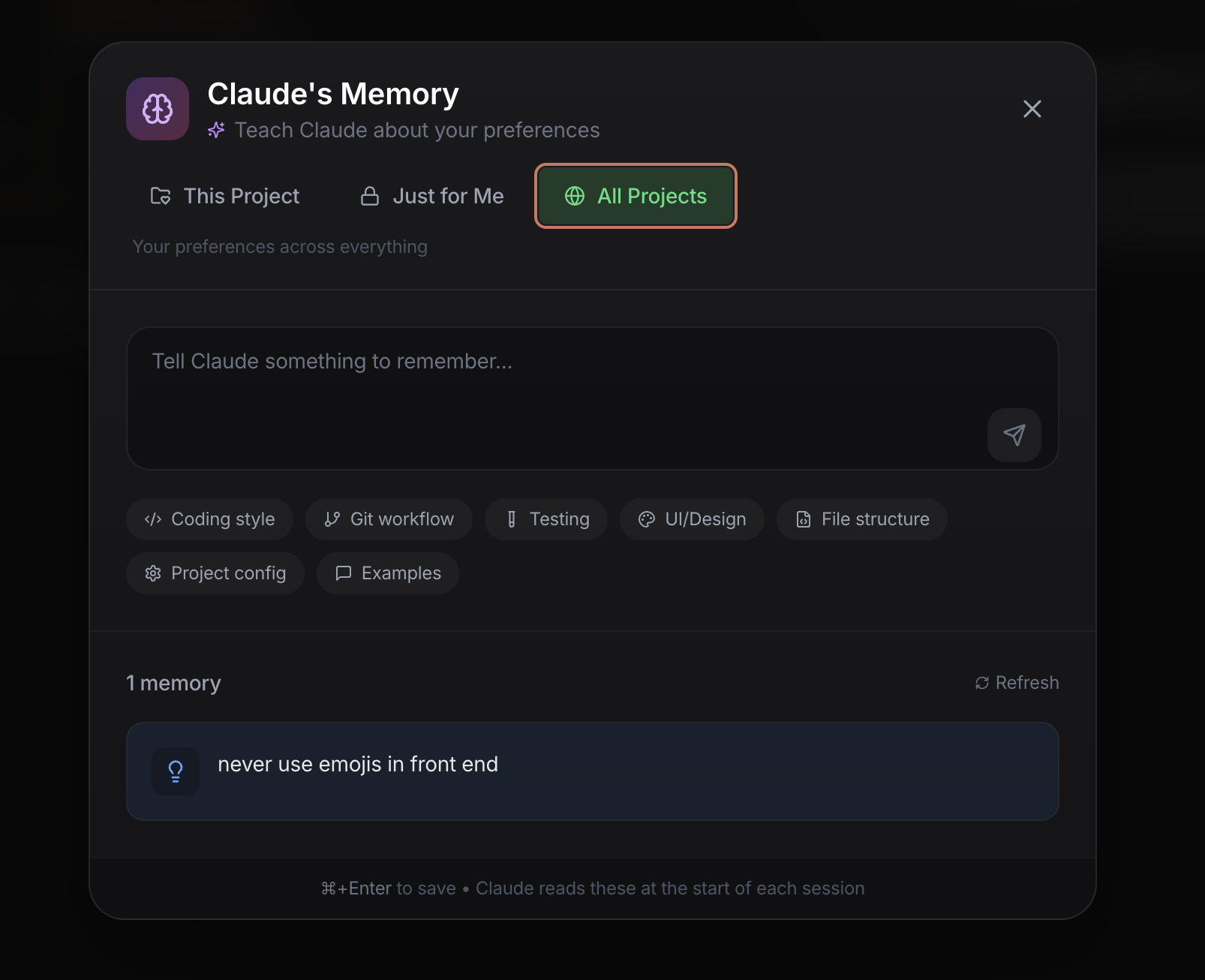
Natural language memory that writes CLAUDE.md files. Tell it your preferences, architecture decisions, and conventions—it remembers across every session.
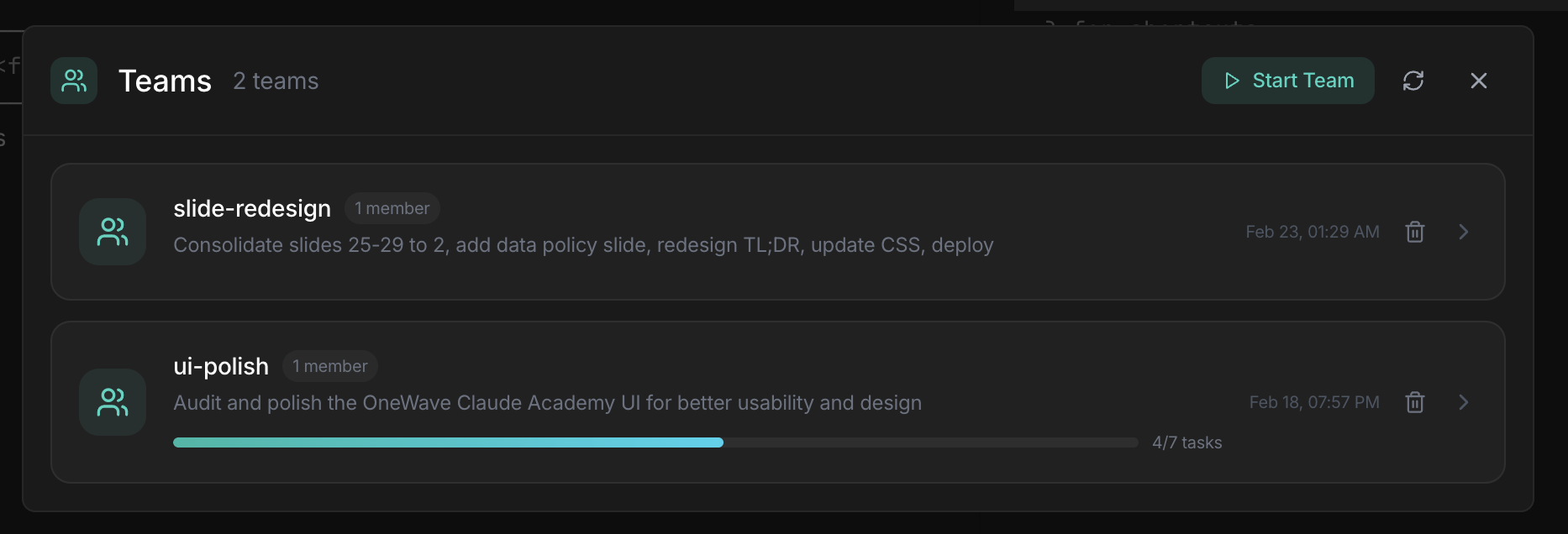
Watch Claude's multi-agent teams in real time. See team members, task assignments, progress, and coordinate across parallel workstreams.
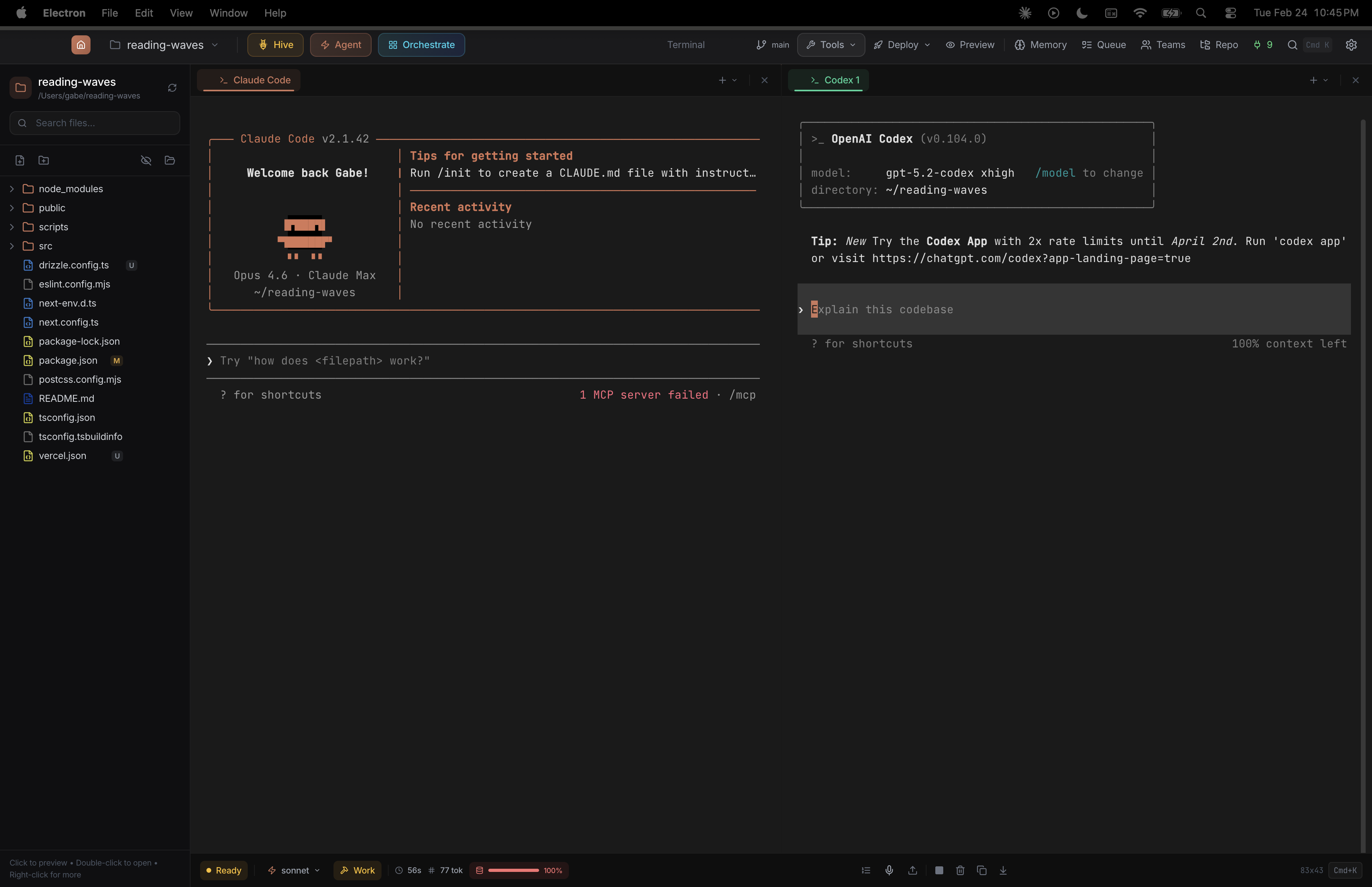
Run Claude Code and Codex side by side. Each tab independently selects its CLI provider. Split panels, 3x2 grid, drag-and-drop tabs between panels.
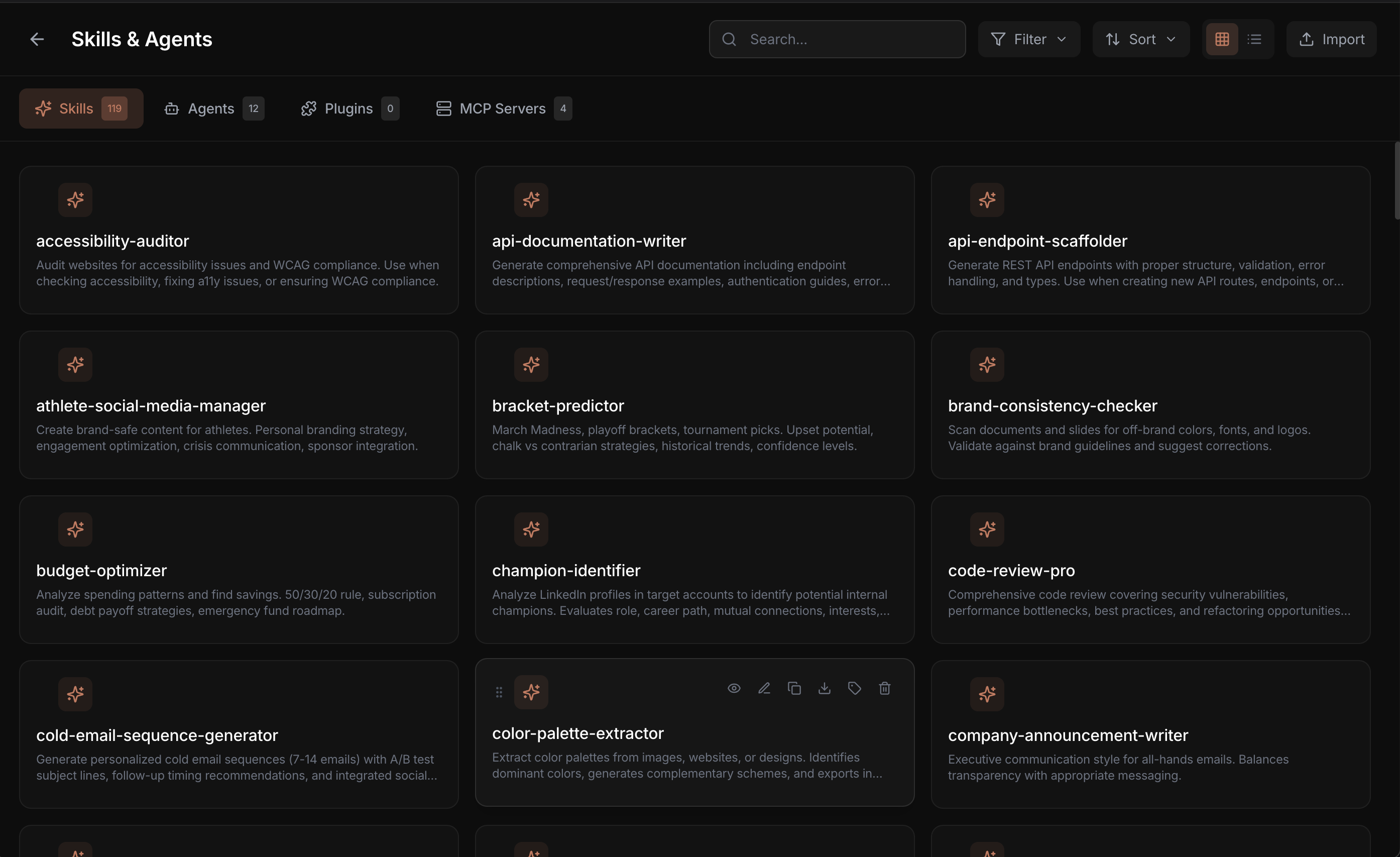
25 skills and 5 agents ship with the app. One-click MCP server installs. Create, edit, duplicate, and share your own skills and agents.
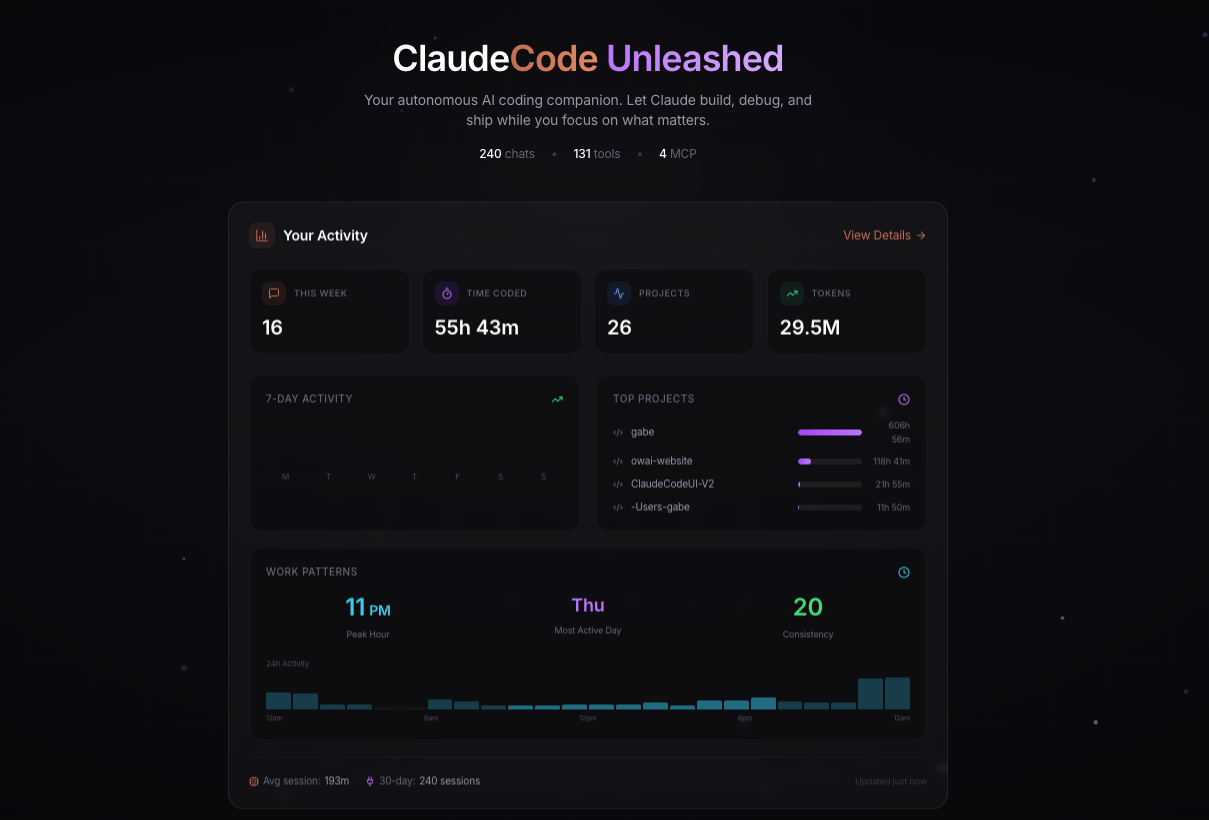
Track sessions, tokens, coding hours, and project activity. 7-day and 30-day views, per-project time tracking, and activity charts.
Every conversation saved, searchable, resumable. Pin important sessions. Pick up exactly where you left off, even weeks later.
Explore every corner of the Crest experience
File Explorer
Terminal Tabs
Model Selector
Session Stats
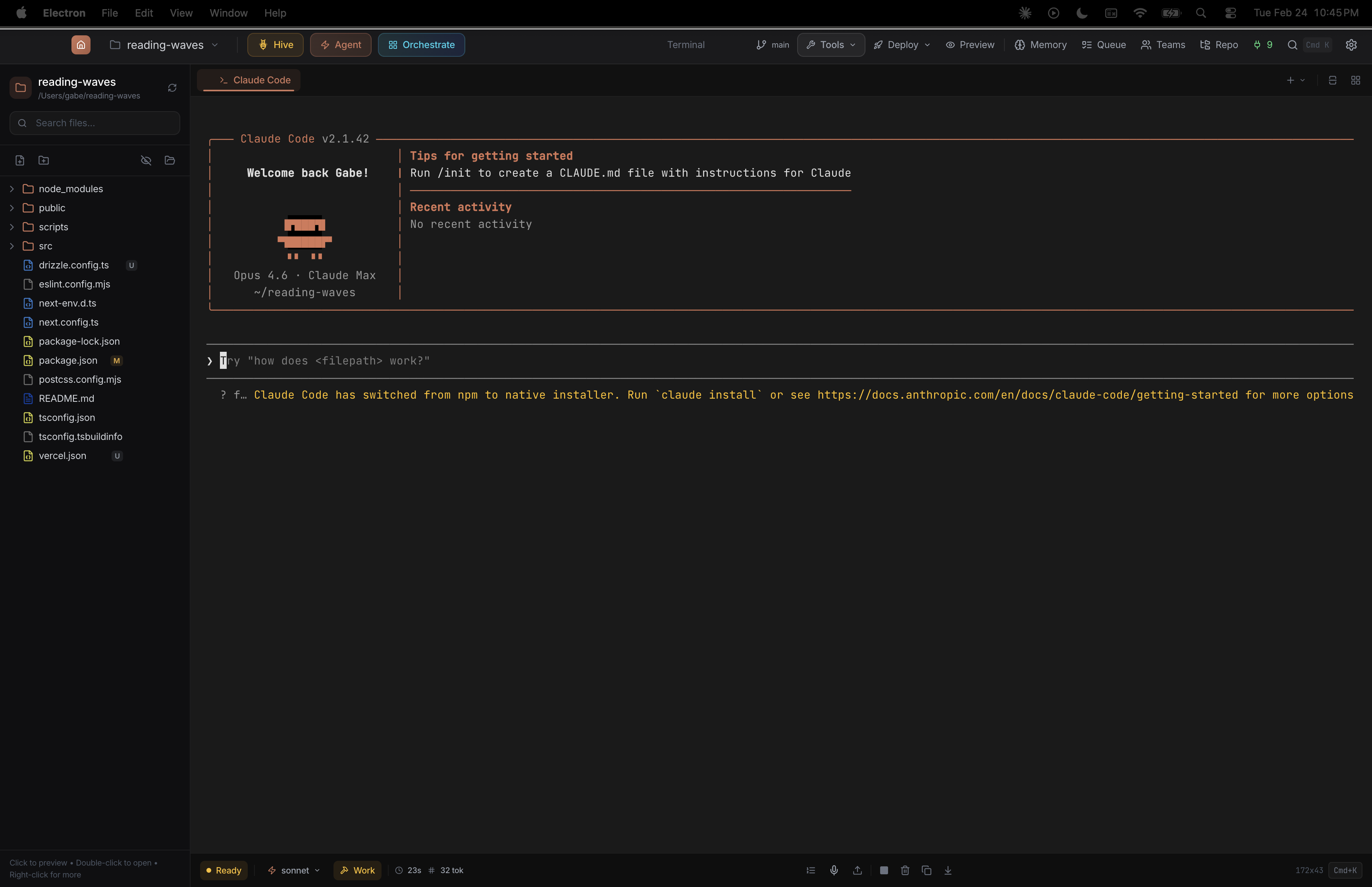
Full terminal with file explorer, model selector, plan/work toggle, and session tracking
Claude Code
OpenAI Codex
Per-Tab Provider
Run Claude Code and OpenAI Codex side by side—each tab picks its own CLI provider
Split / Parallel Modes
Task Assignment
Terminal Count
Split or parallel mode—assign tasks per terminal and launch coordinated multi-agent workflows
Scope Selector
Natural Language Input
Stored Memories
Teach Claude your preferences in plain English—scoped per project, private, or global
Active Teams
Team Members
Task Progress
Monitor multi-agent teams with real-time task progress and coordination
Usage Stats
Time Period
Activity Chart
Top Projects
Track coding time, tokens, and project activity with real-time analytics
Hive Presets
Agent Cards
Launch Controls
Manage specialized agent swarms for audit, action, design, and more
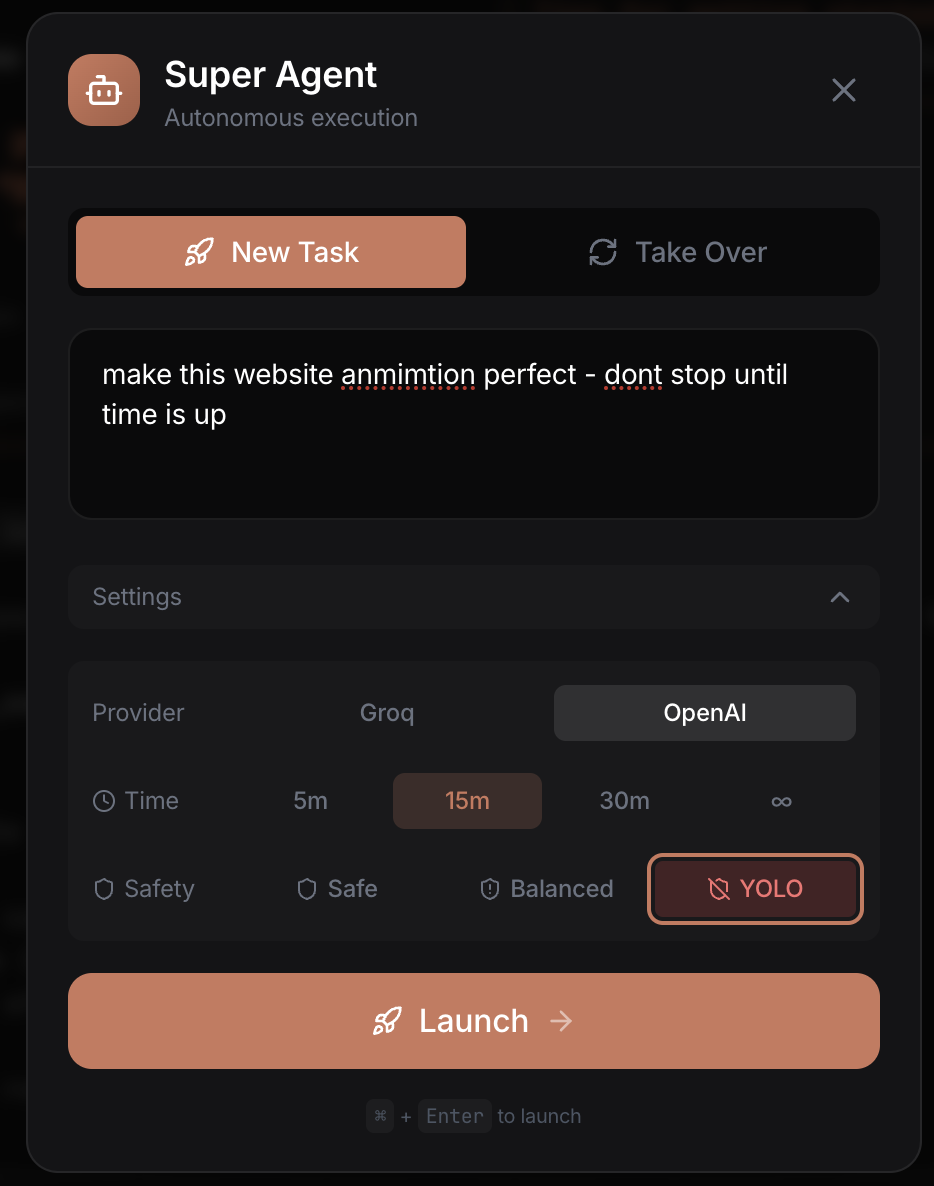
Task Input
Time Limit
Safety Level
Launch autonomous tasks with time limits, safety levels, and provider choice
Category Filters
Search
Skill Cards
One-Click Install
Browse 25 skills and 5 agents—search, filter, and deploy in one click
If you can describe it, AI can build it. Here's what people are using Crest for.
Go from idea to deployed app. Crest handles the code, tests, git, and deployment—you just describe what you want.
Deploy agent swarms to scan your codebase. Find vulnerabilities, fix them, and verify the fixes—all in one session.
Scrape websites, process spreadsheets, generate reports, build dashboards. If you can describe it, Claude can build it.
Powered By
Download Crest for free and put every AI coding agent you use under one roof. Open source. Zero config. Immediate results.
Works on macOS, Linux, and Chromebook